Private Link
You can create a Private Link endpoint in Connectivity to allow users to access NebulaGraph databases through a private IP in a virtual network, without exposing your traffic to the public internet. For more information about Private Link, see What is Azure Private Link?.
Configure Private Link
-
Enter your subscription ID, click Create. The creation time takes about 2 minutes.
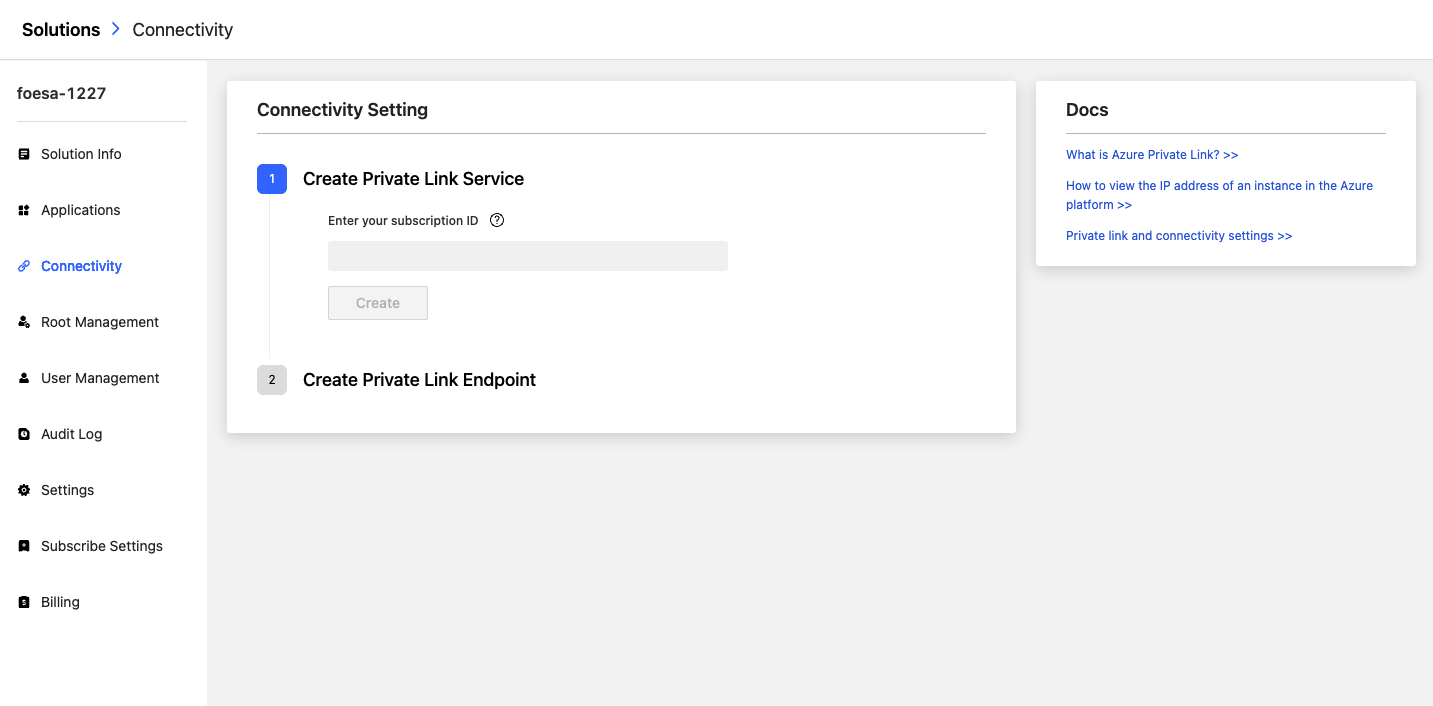
The subscription ID on the Subscription page of Azure Portal. You can click on the [Subscriptions] (https://portal.azure.com/?l=en.en-us#blade/Microsoft_Azure_Billing/SubscriptionsBlade) page for quick access.
-
After the creation, you can use Alias to connect to Azure resources and create a private endpoint in Azure.
-
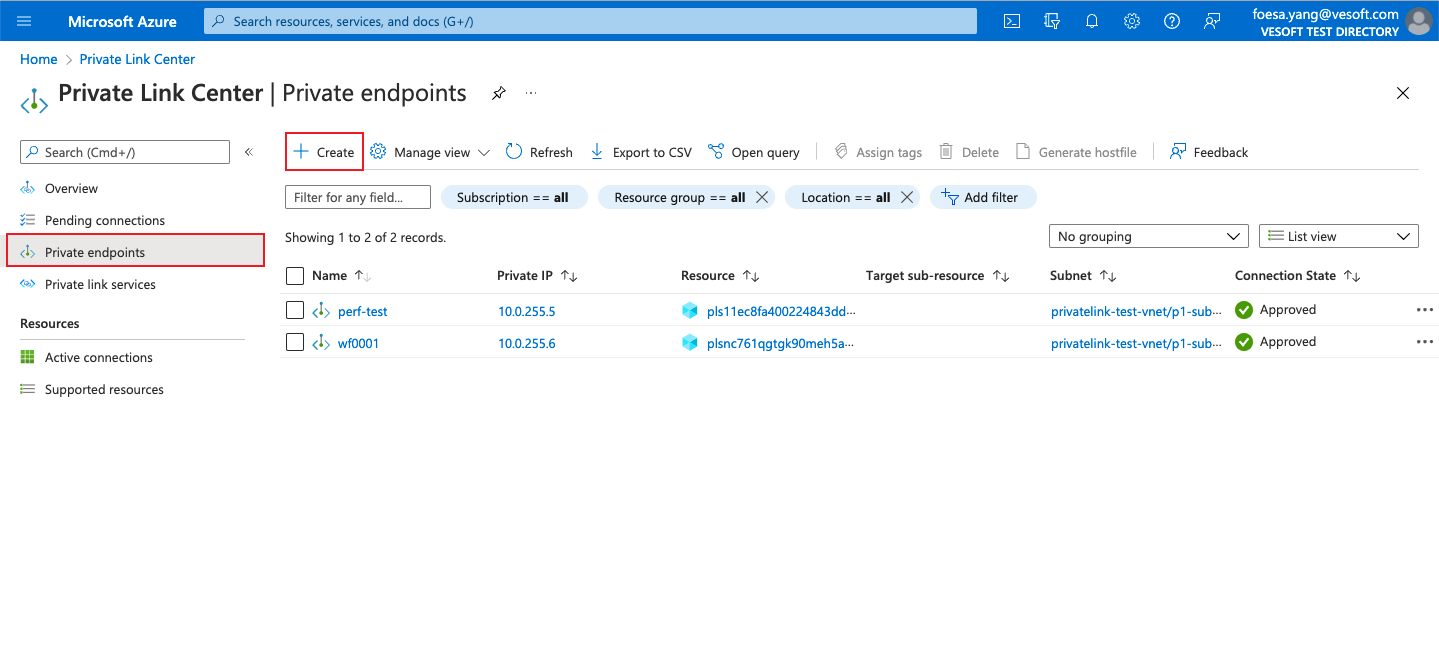
Navigate to the Azure portal. Search for Private Link and click Private endpoint.
-
Click + add.
- In the Basics section, fill in the following plan details:
-
Project details
Field Description Subscription Select the subscription. Resource group Select an existing resource group or create a new resource group. -
Instance details
Field Description Name Set the name of the private endpoint. Region Select the region.
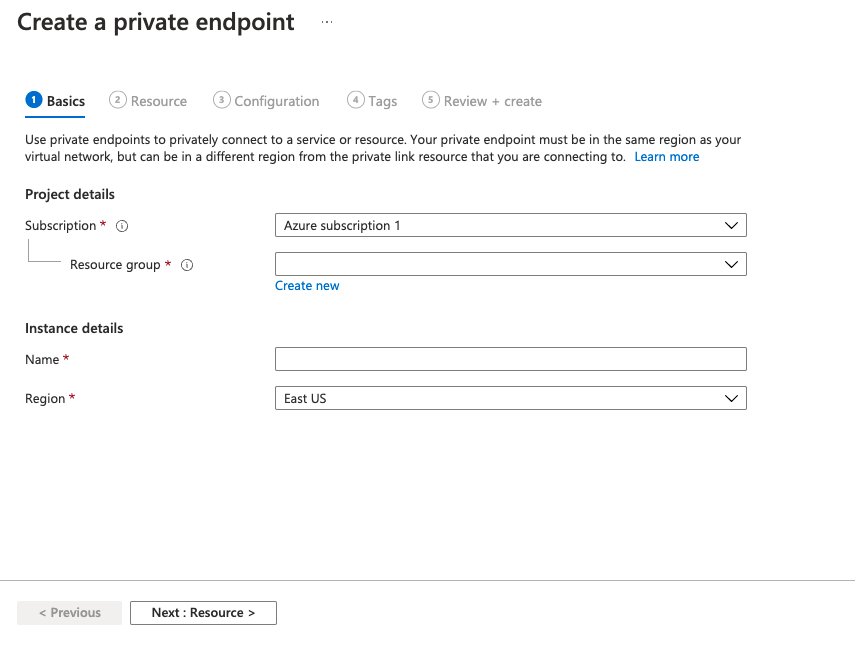
The region of the database you select should be in the same area as that of your business to avoid performance and speed problems.
- At the bottom of the Basics page, click Next: Resource.
- In the Resource section, fill in the following plan details:
| Field | Description |
|---|---|
| Connection method | Click Connect to an Azure resource by resource ID or alias. |
| Resource ID or alias | Set the alias. |
| Request message | Set the message, this message will be sent to the resource owner. |
The alias is on the Connectivity page of NebulaGraph Cloud, click  to copy it.
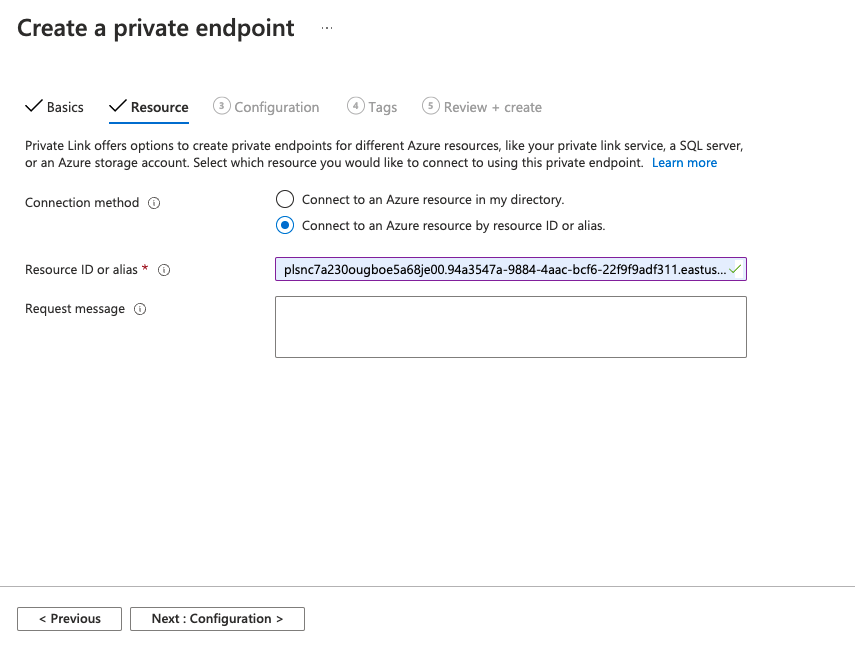
- At the bottom of the Resource page, click Next: Configuration.
- In the Configuration section, select the following plan details:
-
Networking
Field Description Virtual network Set virtual networks. Subnet Set the subnet in the selected virtual network.
Private DNS integration is currently not supported.
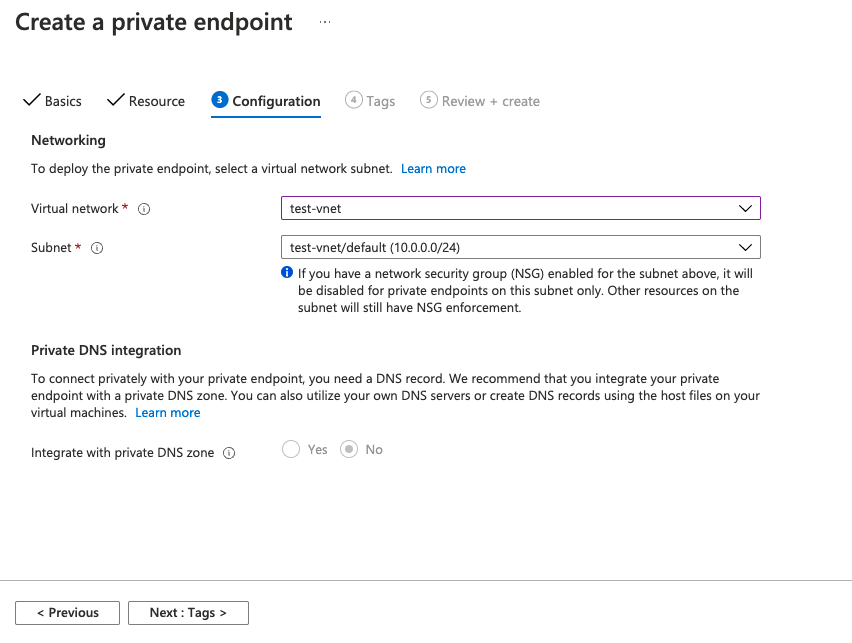
- At the bottom of the Configuration page, click Next: Tags.
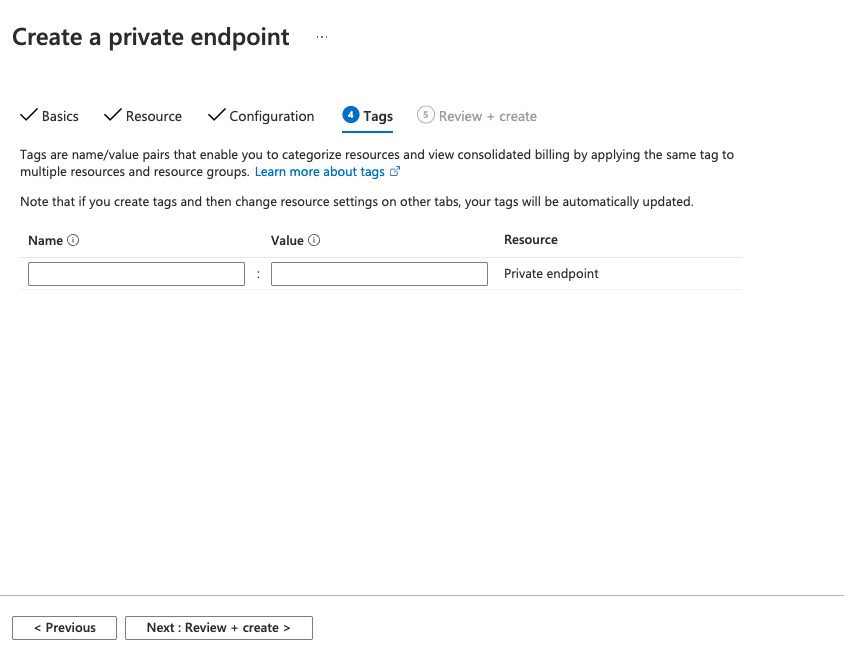
- (optional)In the Tags section, enter Name:Values.
-
At the bottom of the Tags page, click Next: Review + create.
-
At the bottom of the Review + create page, click Create.
-
After creating the private endpoint, copy the Private IP address in Network interface to the Connectivity page in Cloud. Click the Create.
Private Link Endpoint IP information is stored in the Cloud, and you can click  to modify.
Connect to NebulaGraph with Private Link
You can use Private link endpoint IP to connect to NebulaGraph. For more information, see Connect to NebulaGraph.